 On Ice
Guides / Comparisons
On Ice vs deleting your shopping apps: which works better?
Deleting the app is the advice everyone gives, and it is free. We make an alternative, so we have a side in this. Here is the comparison as fairly as we can put it, including when you should not use our app.
Deleting the app
What it does well. It is instant, free and total. If you open a shopping app purely out of habit, like checking the weather, removing the icon removes the habit. For a shop you never truly need, deleting is the right answer and you can stop reading here.
Where it fails.
- The website is still there. Type the first three letters into Safari and you are back in the shop, usually already signed in.
- Reinstalling takes about twenty seconds. And it tends to happen at the exact moment the block was for.
- You probably do need the shop sometimes. Then the app comes back for one real order and stays for three months.
- The want has nowhere to go. Deleting removes the door. It does nothing about the thing you saw, which is still in your head at midnight.
Screen Time limits
What they do well. They are built into iOS, cover apps and websites, and need no download. Set up by a partner or friend with a passcode you don't know, they are the firmest option on this page. We explain the steps in how to block Amazon on iPhone.
Where they fail. Set up by yourself, a limit ends in a button that says Ignore Limit For Today. It is one tap, there is no pause before it, and it clears the limit for the whole day. Apple designed Screen Time mainly for parents managing a child's device, and it shows.
On Ice
What it does differently. It leaves the shop installed and puts a shield in front of it, on the app and on the website. The shield doesn't offer an "ignore" button. It offers Note it. You write down the thing and a rough price, and it waits on a list for 24 hours. Tomorrow you are asked once whether you still want it. If you let it go, the price is added to your estimated savings.
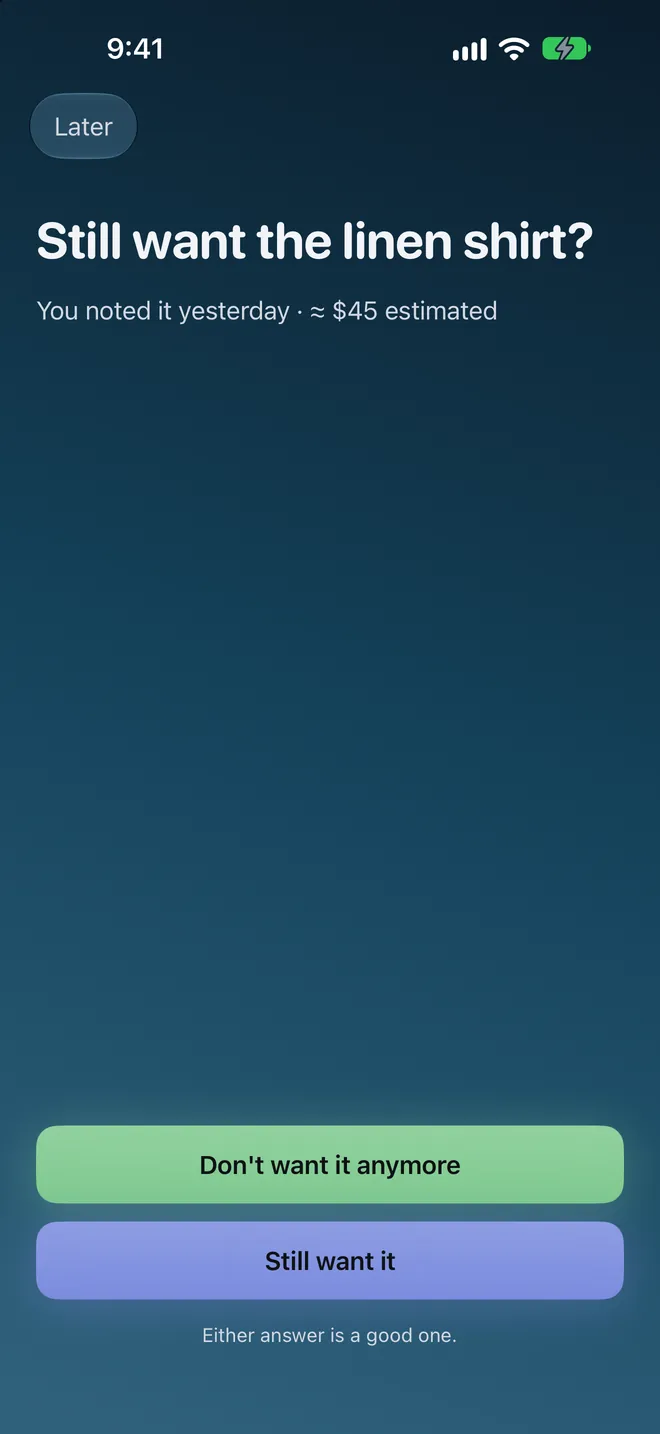
If you need the shop right now, you can open it for 1, 5 or 15 minutes and it shields itself again afterwards. So the block never has to be switched off, which is how most blocks quietly end.
Where it fails.
- It is a pause, not a wall. By default you can always get through. There are firmer settings (timed blocks, and daily limits and strict mode with Premium), but if what you want is a lock that you cannot open, a Screen Time passcode held by someone else is stronger.
- iPhone and iPad only. It needs iOS 17 or newer. It does nothing about shopping on a laptop.
- Free covers one app and one website. That is enough for one problem shop. Covering several needs Premium.
- It is an app about a habit, not a treatment. If shopping is causing serious debt or distress, please talk to someone qualified as well. A pause screen is not enough on its own.
Side by side
| Delete the app | Screen Time limit | On Ice | |
|---|---|---|---|
| Covers the website | No | Yes, if you add it | Yes, if you add it |
| Undone in the moment by | A reinstall | One tap | Noting the item first |
| Lets you shop when you need to | After reinstalling | By ignoring the limit | For 1, 5 or 15 minutes |
| Remembers what you wanted | No | No | Yes, for 24 hours |
| Shows what you didn't spend | No | No | Yes, as an estimate |
| Cost | Free | Free | Free for one app and one site |
So which one?
Delete the app if you never need that shop and you don't use its website.
Use Screen Time with someone else's passcode if you want a hard lock and have a person you trust to hold the key.
Use On Ice if you have deleted and reinstalled the same app more than once. That pattern means the shop isn't the problem. The speed is. What you need is not a missing icon but a night between seeing and buying.