How it works
A shield, a note, and a night.
On Ice doesn't delete your shopping apps or lock them away. It steps in at the moment you open one, gives the want somewhere to go, and lets tomorrow's you decide.
- Setup, once
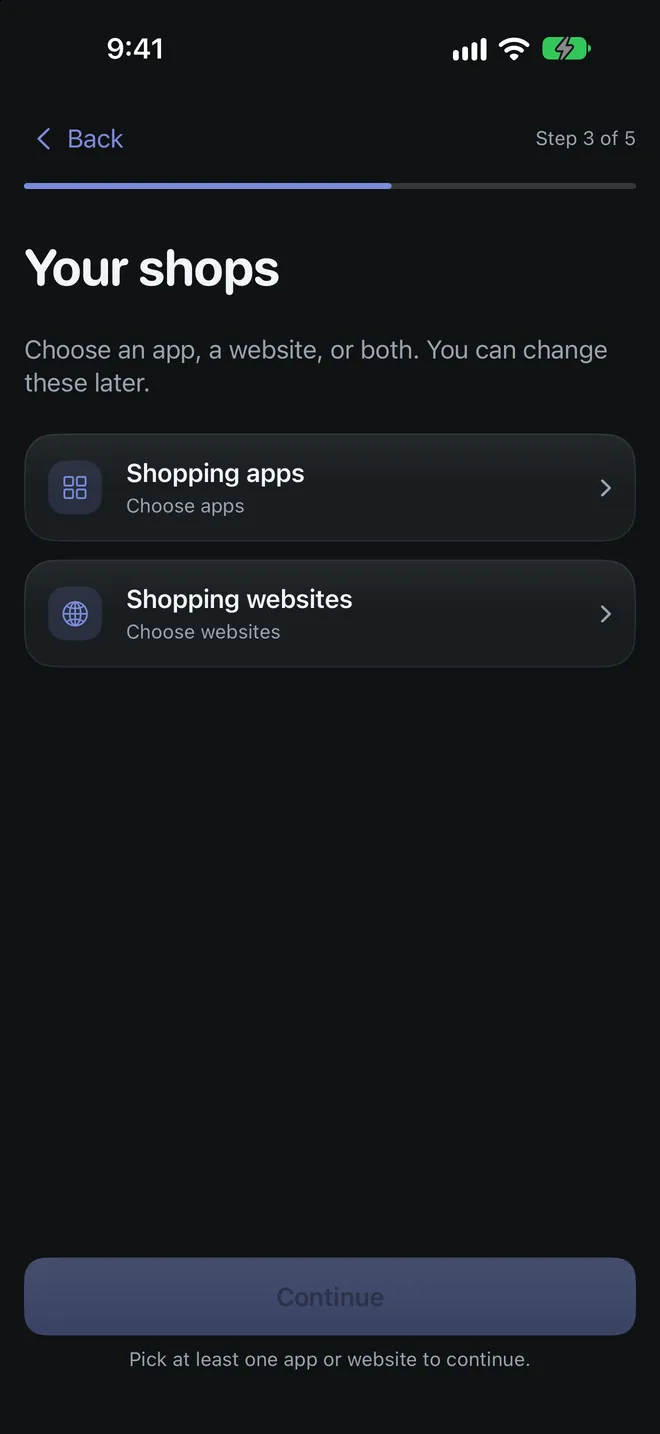
Choose the shops that get you
Pick shopping apps in Apple's own picker and add shopping websites by address. One of each is free, and Premium covers as many as you like.
On Ice uses Apple's Screen Time, the same system behind iOS's built in app limits. It asks for that permission once, and you can withdraw it in Settings at any time.
- When you open one
The shield comes first
Instead of the shop, you see On Ice's shield: Pause before you buy. Tap Note it to write the thing down, or Never mind to walk away.
It covers the app and the website in Safari, so closing one and opening the other doesn't get around it.
In a shop you chose Pause before you buy.
Want something here? Note it in On Ice and decide later.
Note itNever mind - A moment
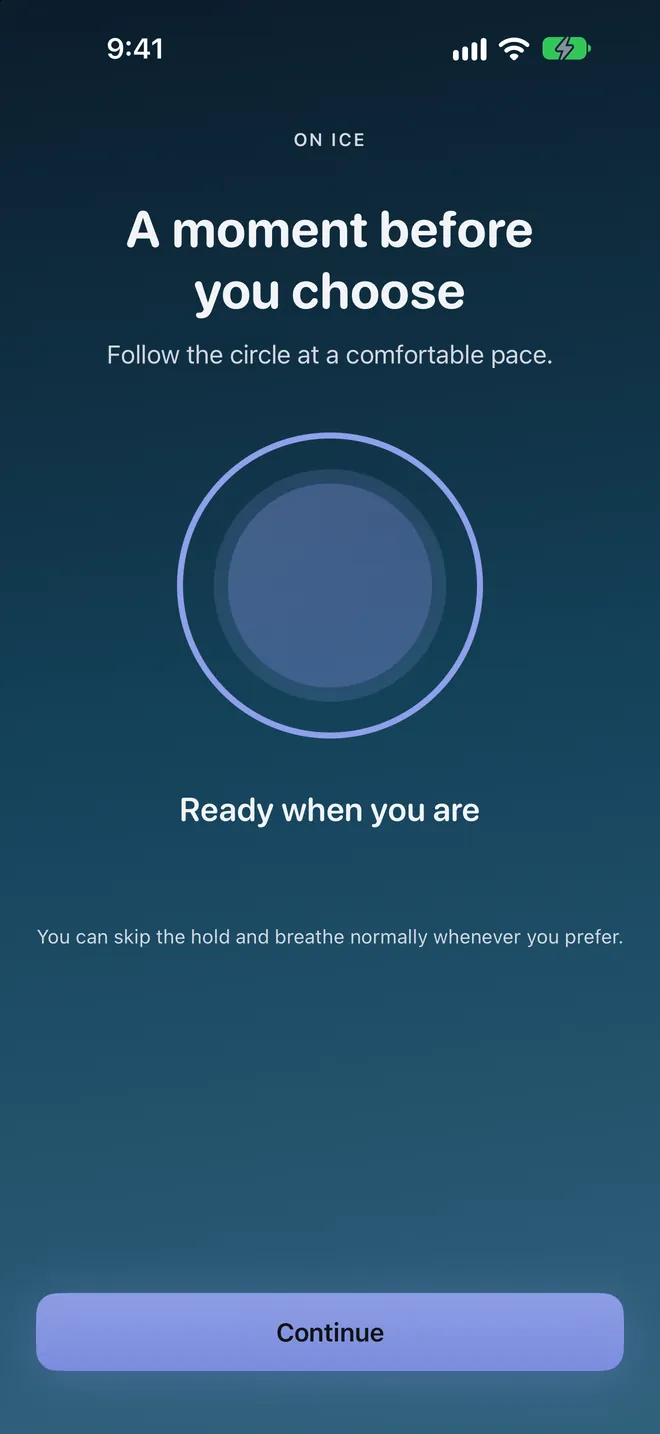
Breathe before you choose
Before the choices there is a short pause. Follow the circle at a comfortable pace, or skip it and breathe normally.
It is ten seconds, and it is often enough.
- 15 seconds
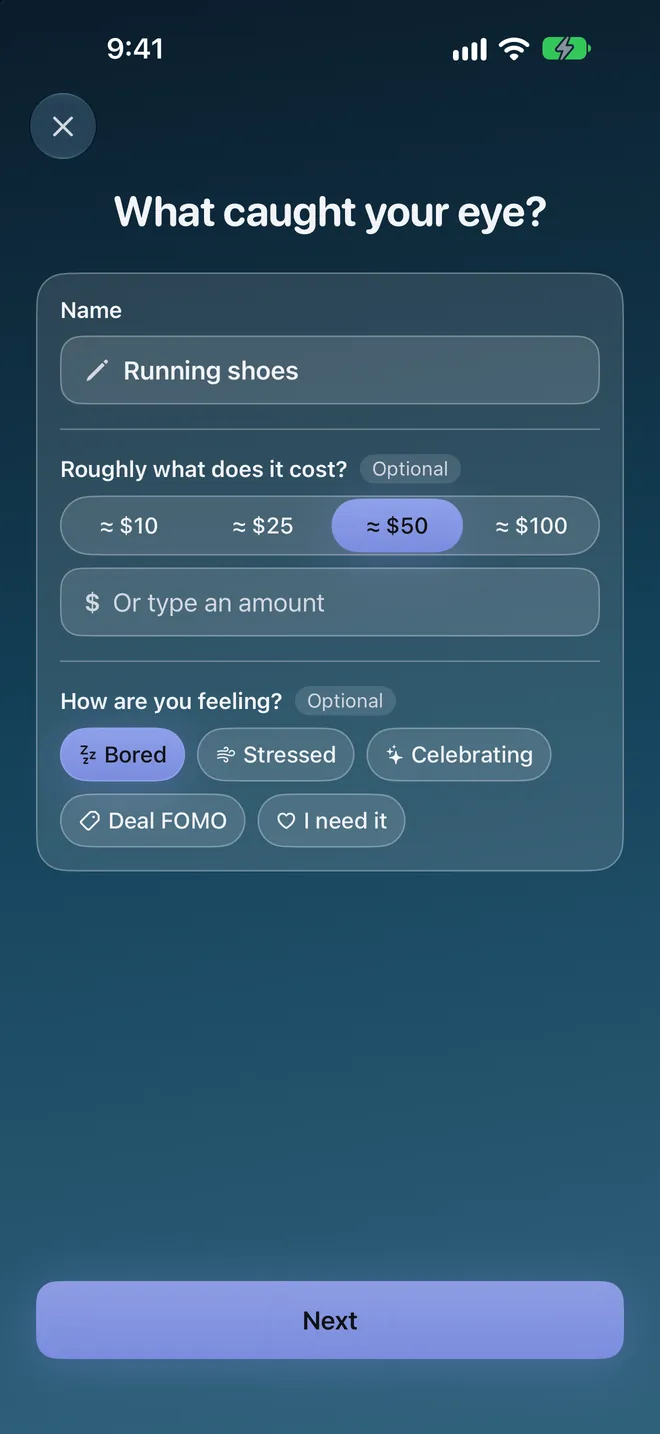
Say what caught your eye
Name the thing, tap a rough price, and tap how you feel: bored, stressed, celebrating, deal FOMO, or “I need it”. Price and feeling are optional.
One screen, no forms. Noting it has to be faster than the craving.
- Then
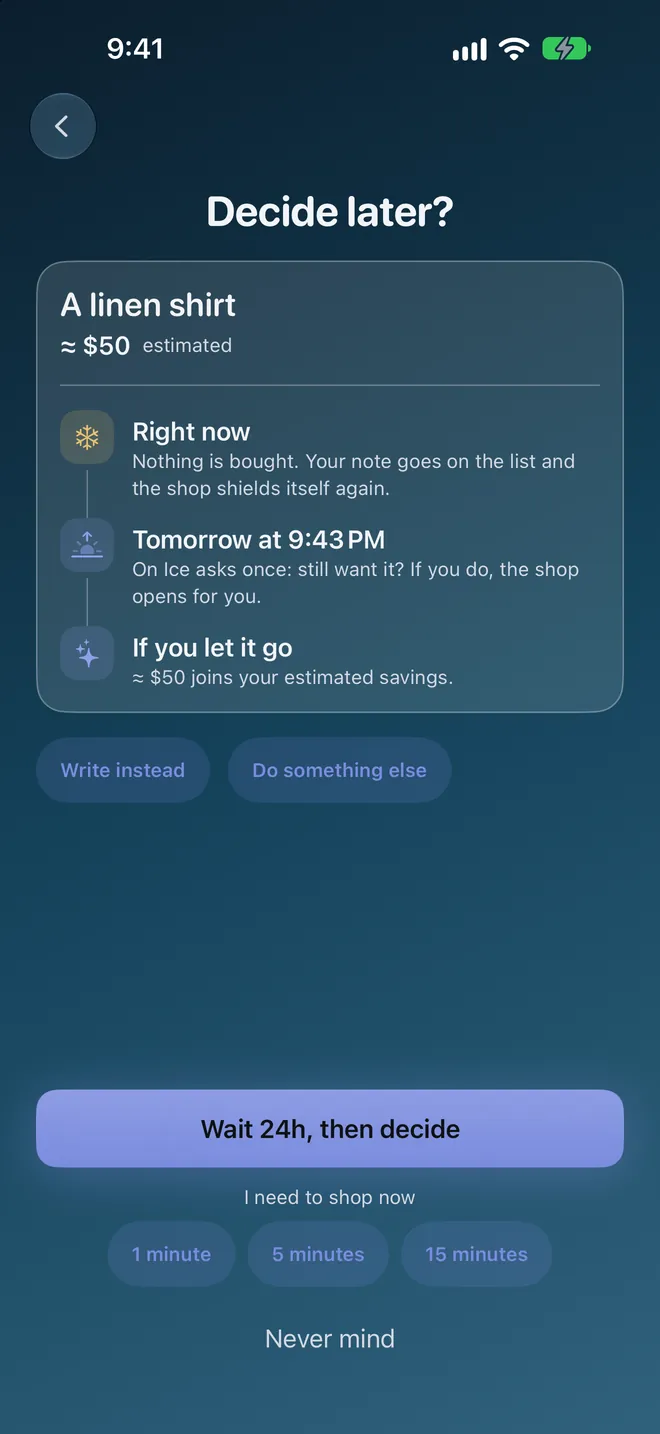
Decide later
Wait 24h, then decide puts the item on your list. Nothing is bought, and the shop shields itself again.
If you really need the shop now, I need to shop now opens it for 1, 5 or 15 minutes, and the shield comes back on its own. You can also write a few lines instead, or go do something else.
- Overnight
It waits on ice
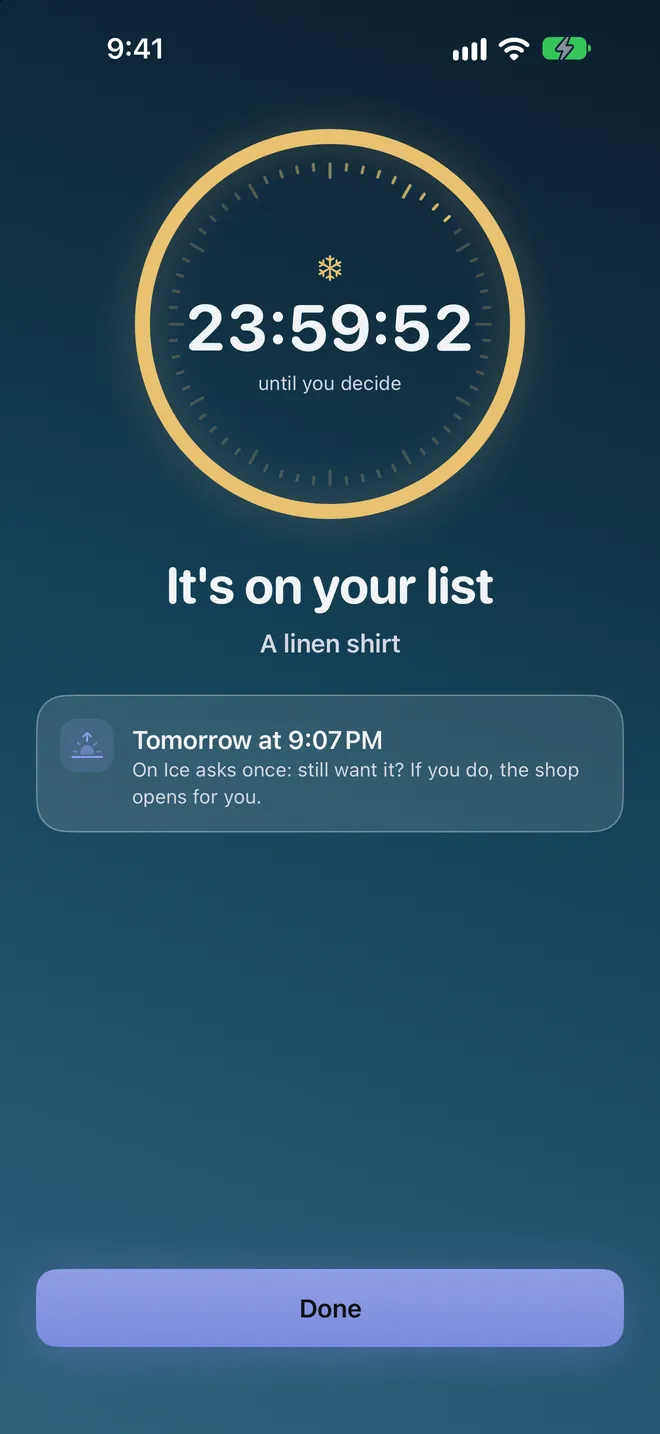
Your item sits under a slow 24 hour ring. With Premium the wait can be 12, 24, 48 or 72 hours.
Nothing is bought while an item cools, and nothing nags you in the meantime.
- Tomorrow
One calm question
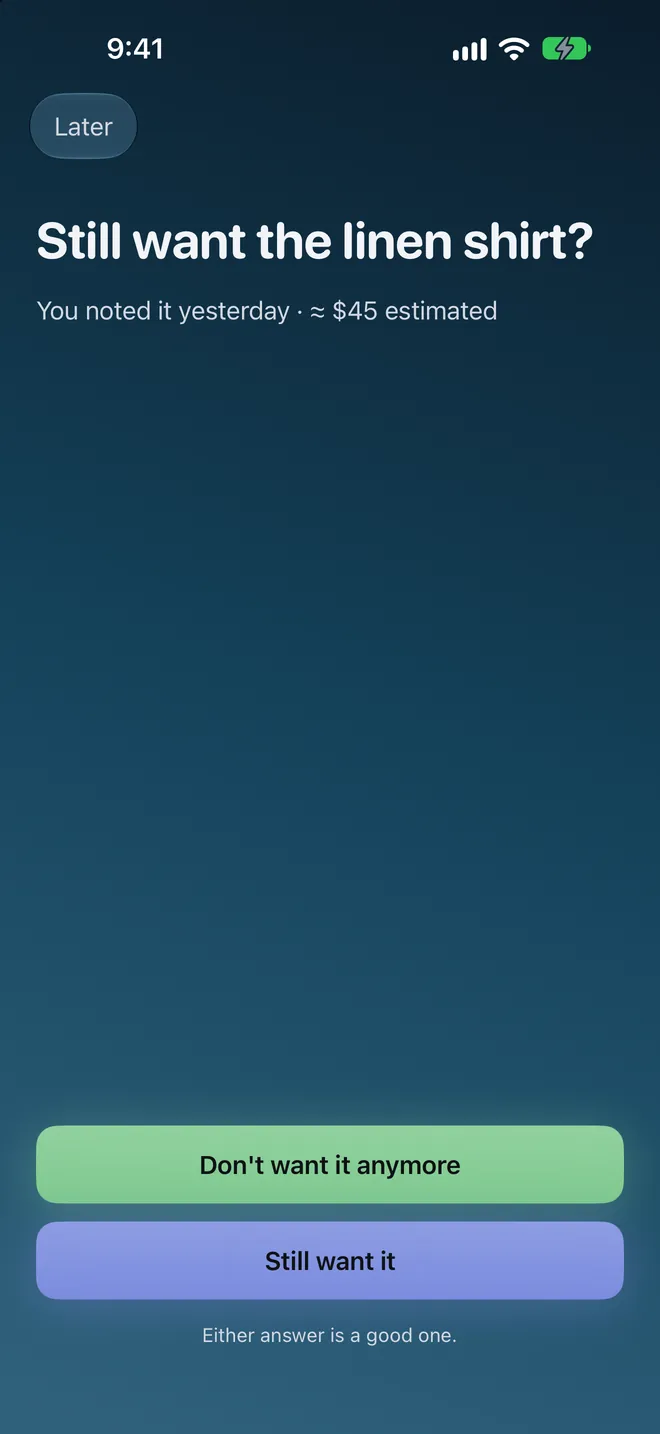
Still want it? Tap Still want it and the shop opens for you. Tap Don't want it anymore and the price you guessed joins your estimated savings.
Either answer is a good one. On Ice never scolds you for wanting things, and nothing turns red if you buy it.
- Over time
Watch it add up
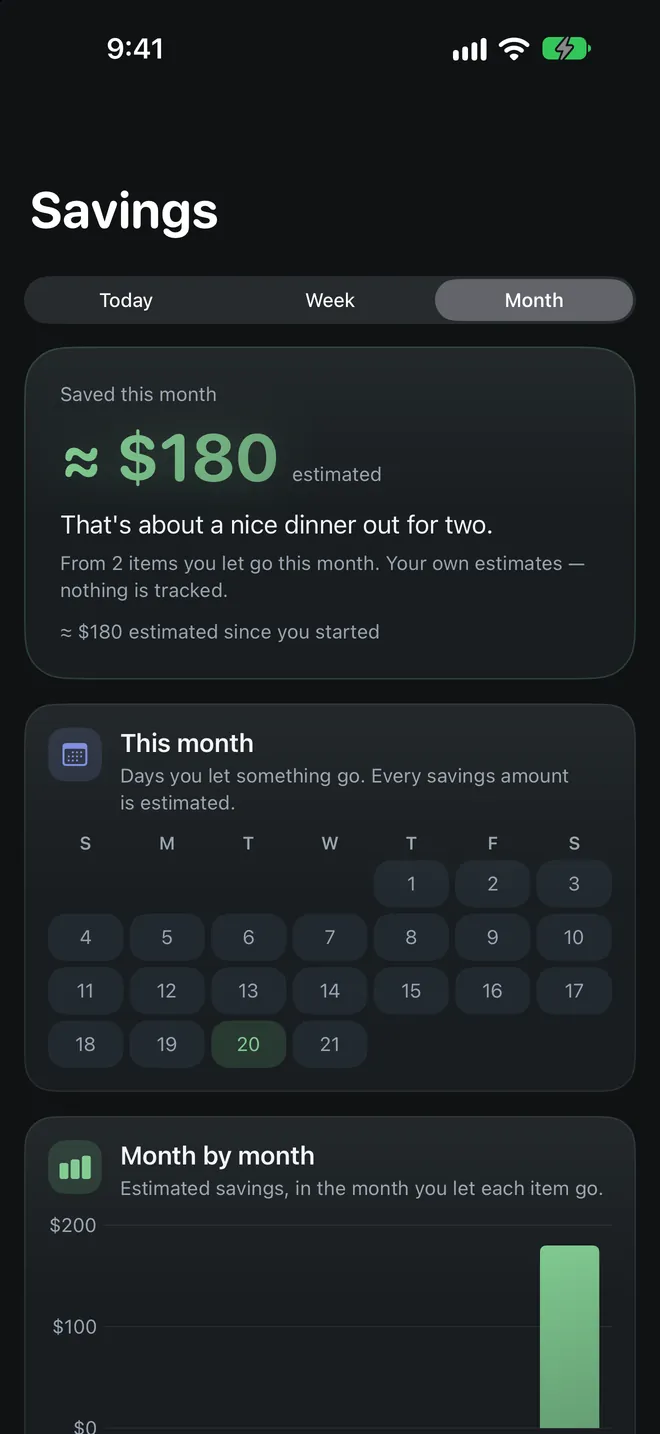
Savings shows what you let go today, this week and this month. Every figure is your own estimate and is labelled estimated.
An item counts once, when you let it go. Items you keep don't touch the total.
Firmer, when you want it.
Some nights a pause is enough. Some weeks you want a boundary that holds. You choose how strict On Ice is, and you can change your mind.
- A breath first
- Before the choices, a moment to follow a slow circle. You can skip it whenever you prefer.
- Something else to do
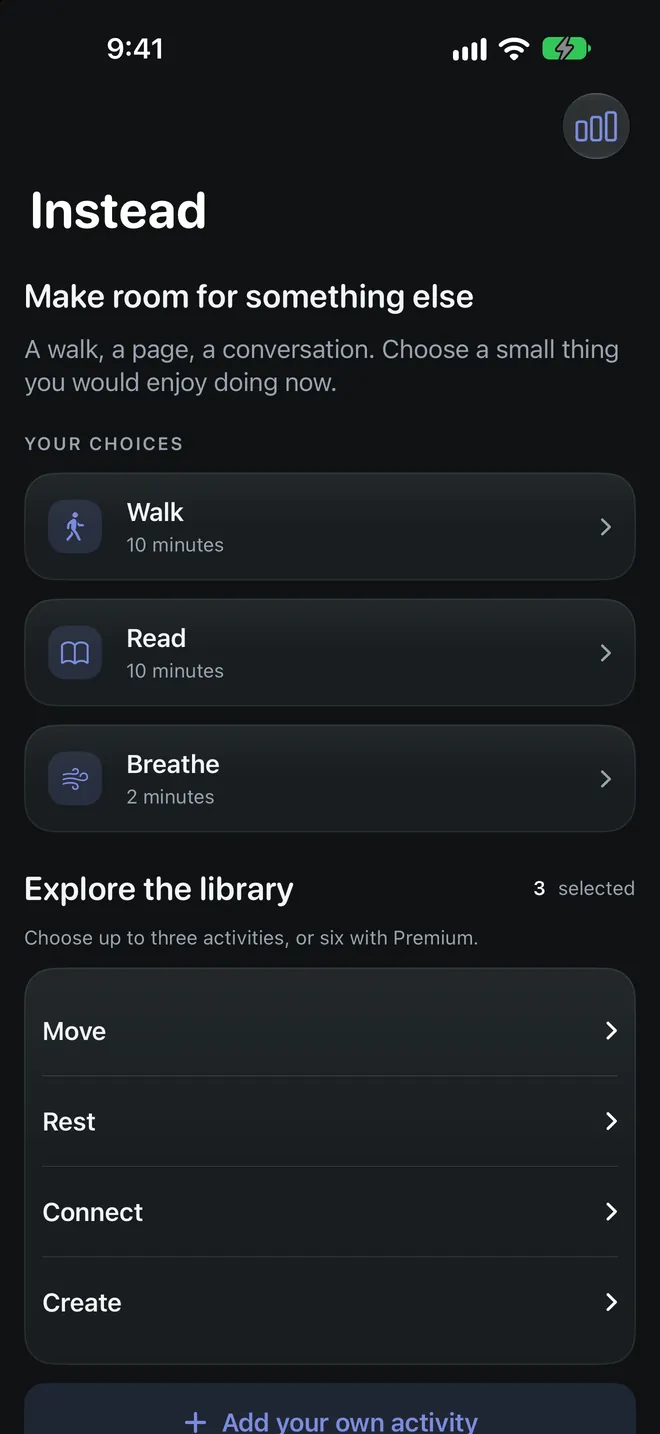
- A walk, a page, a call. Pick the small things you would enjoy and start one in a tap.
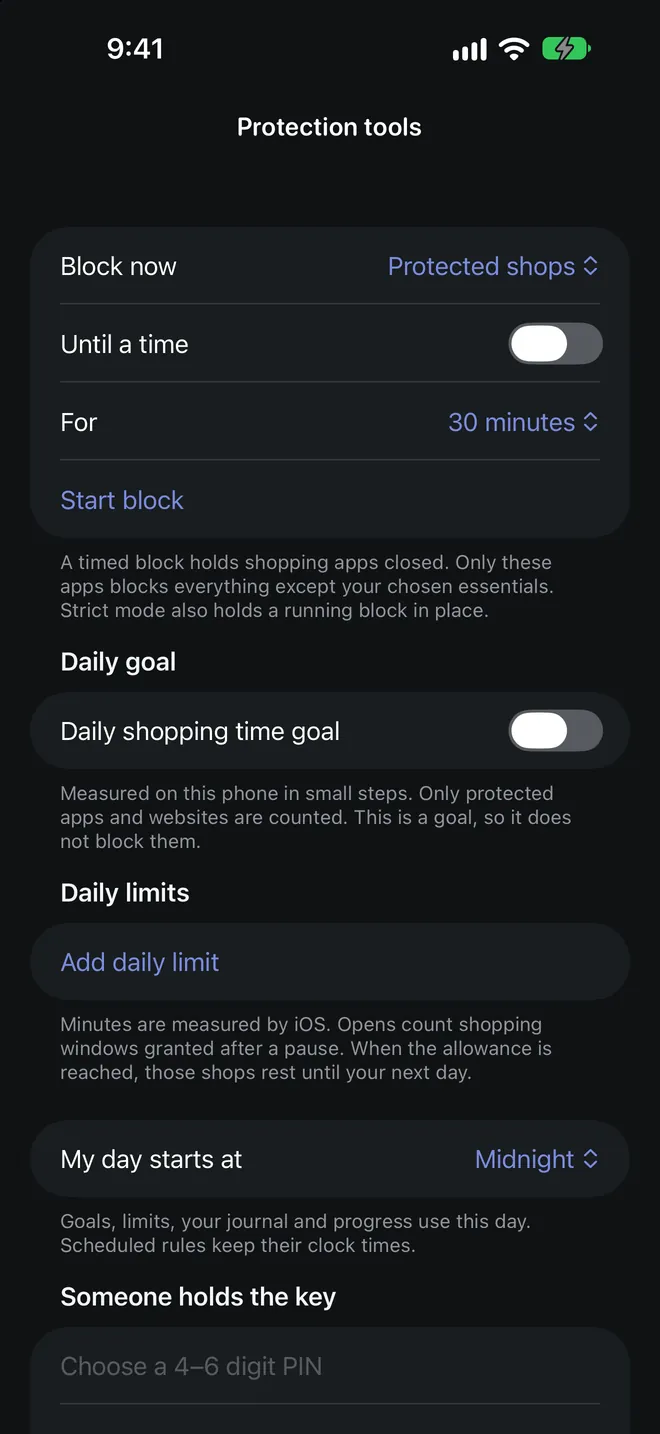
- Timed blocks
- Close your shops for the next 30 minutes, or until a time you set.
- A daily goal
- A gentle target for shopping time each day. It counts, it doesn't block.
- Daily limits Premium
- When the day's allowance is used, those shops rest until tomorrow.
- Danger hours Premium
- Make late nights stricter, or close one shop's door entirely.
- Strict mode Premium
- So your setup can't be undone in the moment.
- A private journal
- A question a day and a place to write. Lock it with Face ID. It never leaves your device.
- Widgets Premium
- Your estimated savings and what's on ice, on the Home Screen and Lock Screen.
Setting it up takes about two minutes.
- Try a ten second pause. The same moment the shield will give you later.
- Allow Screen Time access when Apple asks. On Ice can't work without it.
- Pick your shops. Apps in Apple's picker, websites by address.
- Set danger hours if you want them. The late hours when shopping goes badly. Optional, and changeable later.
- Done. Open one of your shops and meet the shield.
The first shield can feel abrupt. That is the moment the app exists for. Tap Note it and take fifteen seconds.
Free to start.
iPhone and iPad, iOS 17 or newer.